
Api Access
Welcome to Api Access documentation for AZExecute. This guide provides detailed information on how to assign roles and manage access for the Api.
Give Api permissions
Your AZExecute Api access is restricted by default. You can give access to the Api from the System Settings menu, or directly from the Azure portal.
Users, groups and service principals from your tenant can get access to the Api. When you have assigned a role for any type of principal, that entity can begin authorizing against the AZExecute Api.
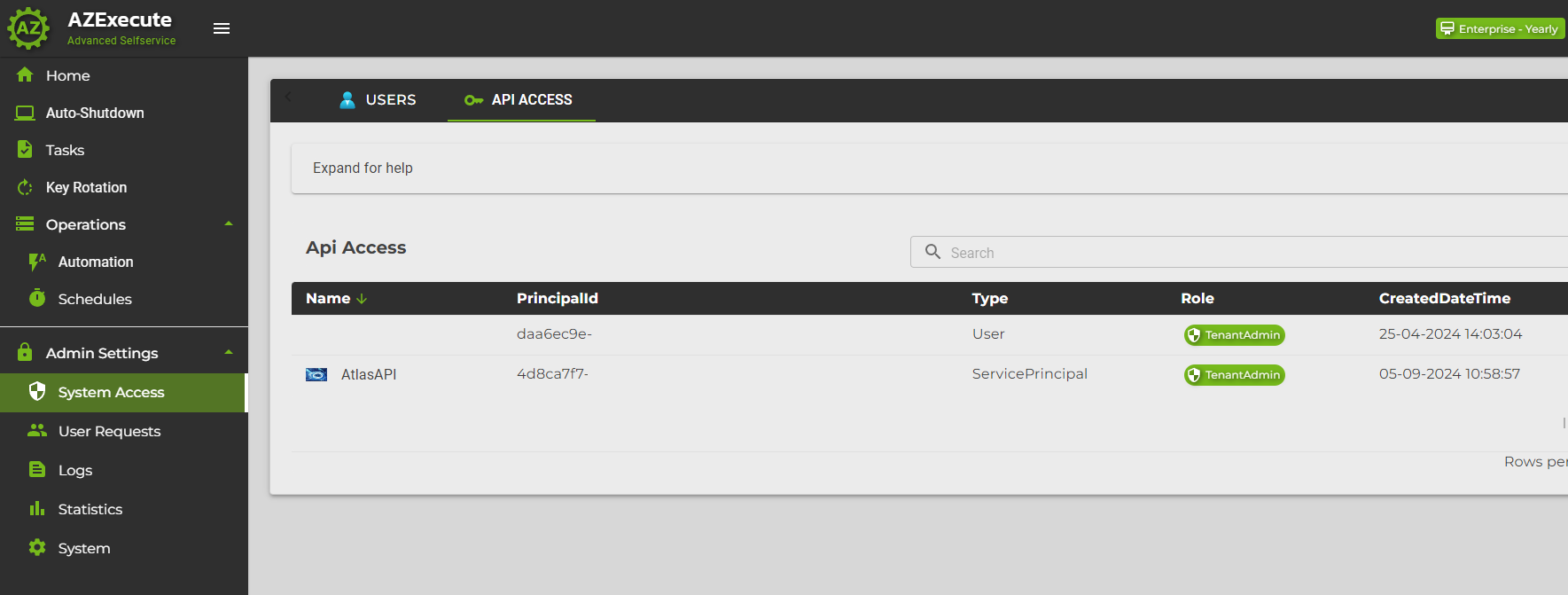
Choose a role and select a principal to give Api access.
Just as in the Azure Portal this requires the logged in user to have permissions to do this. Application Administrator would for instance be able to.
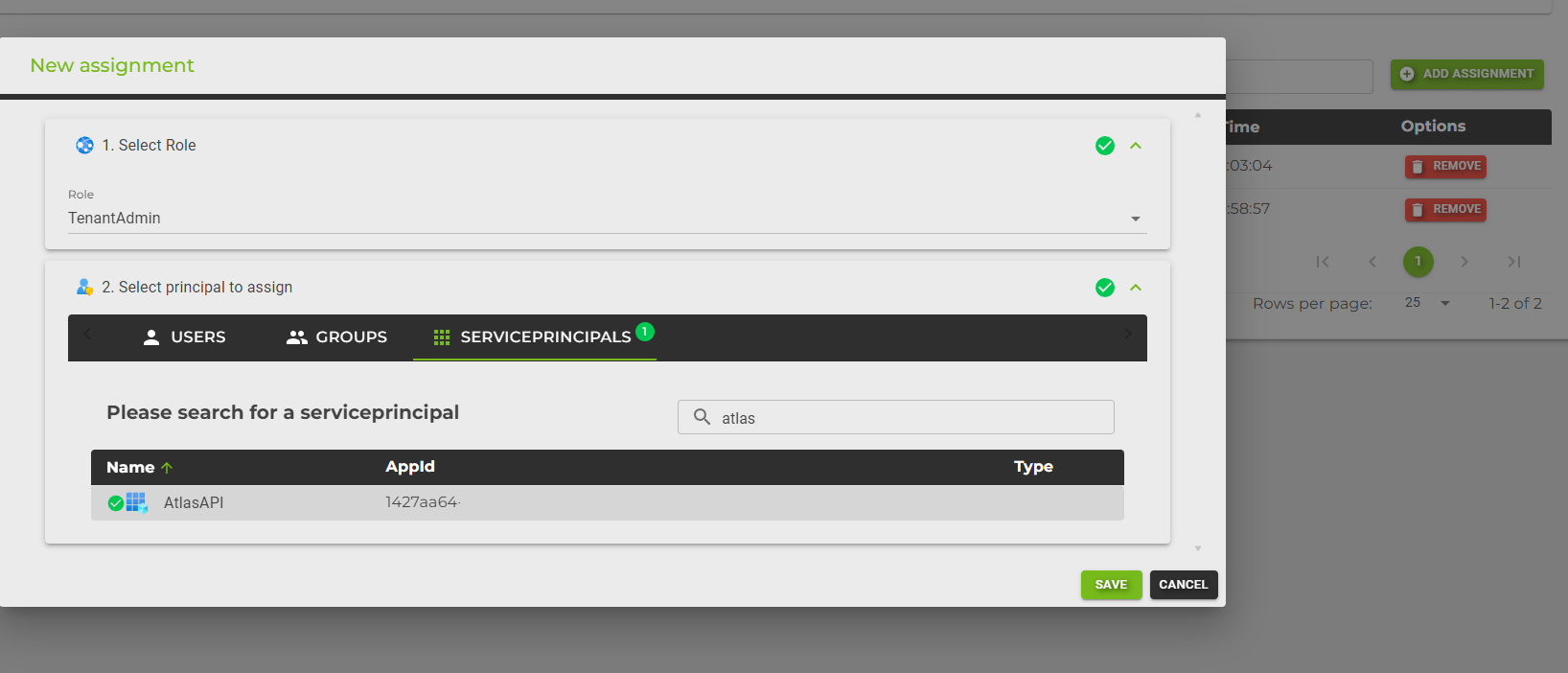
Assigning Users, Groups, and Service Principals in Entra
API access is granted through app role assignments on the AZExecute API Enterprise Application. The System Settings page writes the same Entra ID assignments that you can manage manually from the Azure portal.
For delegated users, a recognized explicit Entra app role determines API access. When no recognized Entra app role is assigned, the role configured in AZExecute applies. Default Access is not an API role. See Roles and Access for role assignment and troubleshooting guidance.
For service principals, assign the required API app role directly so the role appears in the access token. Service-principal API access roles and a human user's tenant role solve different authorization needs and should not be treated as interchangeable.
For Microsoft Foundry assistants used by people, use delegated MCP access: each user signs in and calls AZExecute with their own effective role and resource access. The OAuth client's delegated permission does not grant the user's role, and this flow does not require assigning an app-only API role to the Foundry agent identity.
For the alternative agent-identity connection, assign the API role to the selected agent identity or project's managed identity. Match its service principal object ID, not just its display name. A published agent can use a different identity from the playground. Everyone using that connection invokes AZExecute with that shared identity's permissions.
To assign users and groups access to AZExecute, navigate to the Azure portal and select the Enterprise Application. From there, go to the "Users and groups" section.
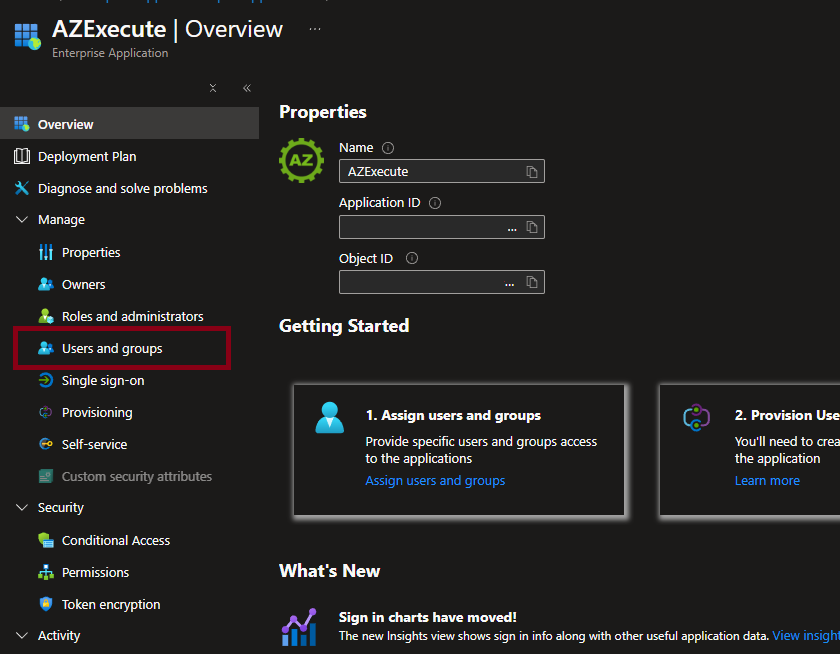
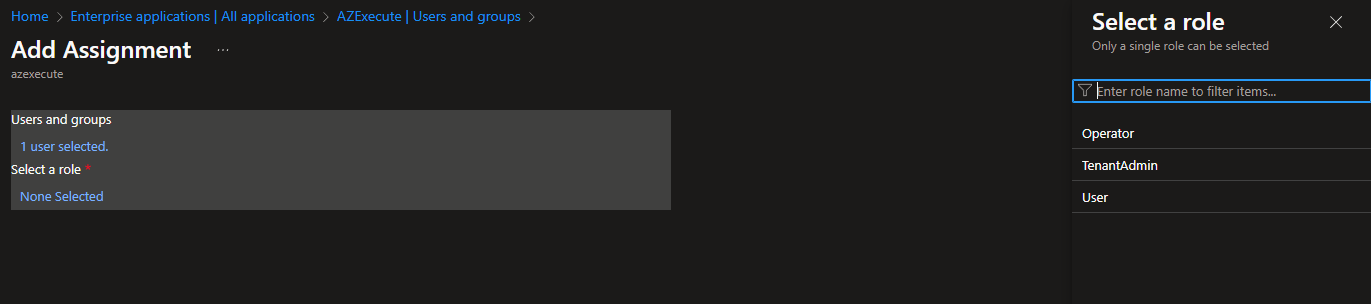
Provide specific users and groups with the necessary roles to access the application. This step is crucial for managing who can access and administer AZExecute.